Open to new work
REMOTE, WORLDWIDE
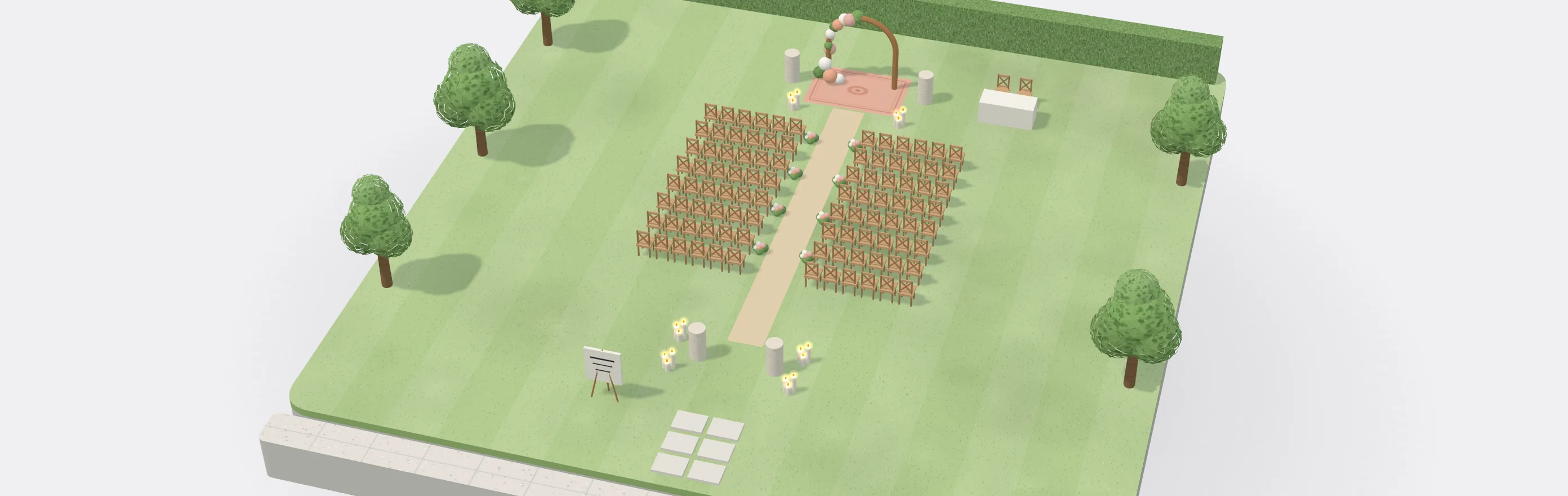
SetPlan
A friend of mine styles weddings, and every change a couple makes costs them an evening of updates. I designed SetPlan so one change reaches everyone at once.
Year
2026
Role
Solo designer
Platform
Web and phone
Status
Prototype
The problem
A friend of mine styles weddings. Their stock lives in a spreadsheet, the venue’s floor plan comes as a PDF, the quote is a separate file and the crew gets printed notes. When a couple changes one thing, all four get updated by hand, usually late at night.
The idea
I wanted one plan for each wedding, laid out on the real venue. The quote, the couple’s page, the setup sheet and the crew’s checklist all come from that plan, so a change is made once and reaches everyone.
What I did
I talked it through with my friend, then designed it end to end on my own and made a clickable prototype: 23 screens for the stylist, the couple and the crew.
What made it hard
- 01
Venue plans are unreliable
They arrive as PDFs that have to be scaled by hand, and some venues don’t have one at all.
Chapter 02
- 02
Stock is shared
A stylist owns a set number of each piece, and other weddings on the same date may already be using them.
Chapter 03
- 03
The plan keeps changing
Couples change their minds after the quote and venues have rules. Each change has to reach the quote, the couple and the crew.
Chapter 04
Amara & Theo · Kinross Estate
One plan
v1
v2
v3
Stylist · web
Quote
Changes with every piece placed.
Couple · phone
Couple’s page
Pick a layout, approve each version.
Crew lead · A4
Setup sheet
Every piece numbered on the plan.
Crew · phone
Checklist
Ticks and photos, saved without signal.
01
The plan editor

This is the screen I spent the most time on. The stylist drags pieces from their catalogue onto the venue, in 2D or 3D. While they work, the editor checks that every guest has a seat, that the pieces aren’t booked out on that date, and that the venue allows them. The quote on the right updates with each change.


Rows and aisle in one place. It warns when the aisle gets too narrow and counts every seat.

Shows up the moment a piece breaks a rule, with the fix right next to it.

Add a row of chairs and the total, fees and deposit change at once, with the difference since the last approved version.
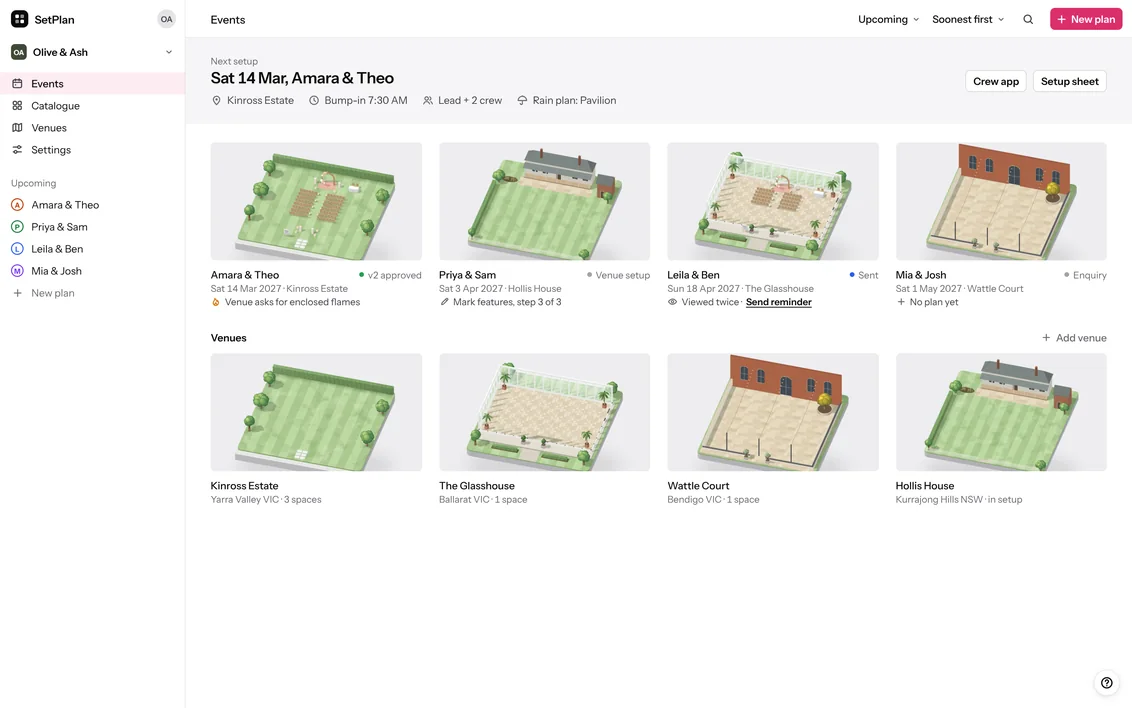
Upcoming weddings, each with the next thing to do.

The guest count comes from the couple’s enquiry. The stylist picks the venue and a seating layout.
02
Adding a venue
Venues usually send their floor plan as a PDF, so the stylist traces it. They pick the pages they need, set the scale from two points a known distance apart, and draw the spaces, features and rules. If they share it to the venue library, the next stylist working there can use it.

Some of the venue’s rules are read from the notes on its plan. All of them show up as warnings while the stylist plans.
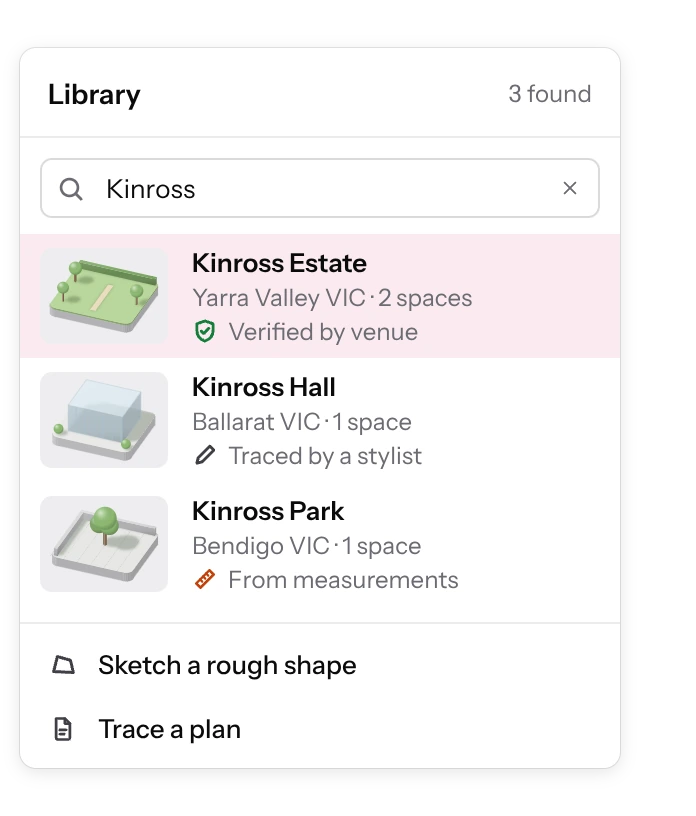
Each venue says where its plan came from: the venue, a stylist or measurements.
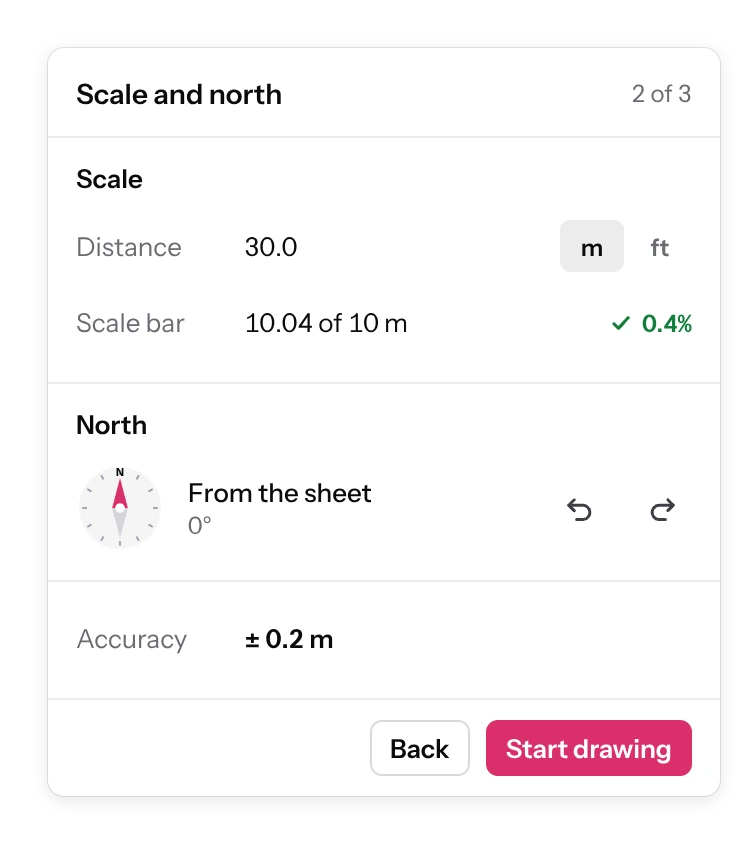
Two points a known distance apart set the scale, and the panel shows how accurate it is.

No plan yet? A rough shape, its size, the surface and the gate are enough to start.
03
Stock and pricing
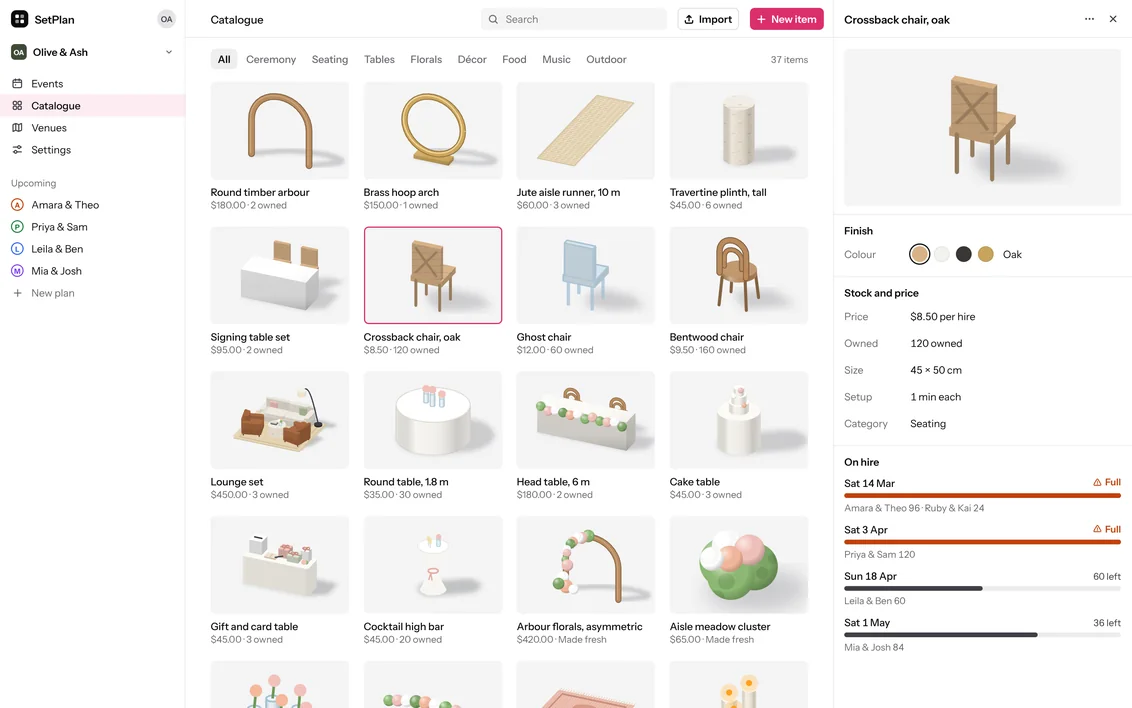
Each piece in the catalogue has a price, how many the stylist owns and how long it takes to set up. If a plan needs more than are free on that date, the editor says how many are short, where the rest are, and offers a stand-in. Delivery zones, crew rates and the deposit are set once in settings, and every quote uses them.
One more row needs 12 more chairs. 24 are at another wedding that day, so the editor offers 12 ghost chairs and adds them to the quote.
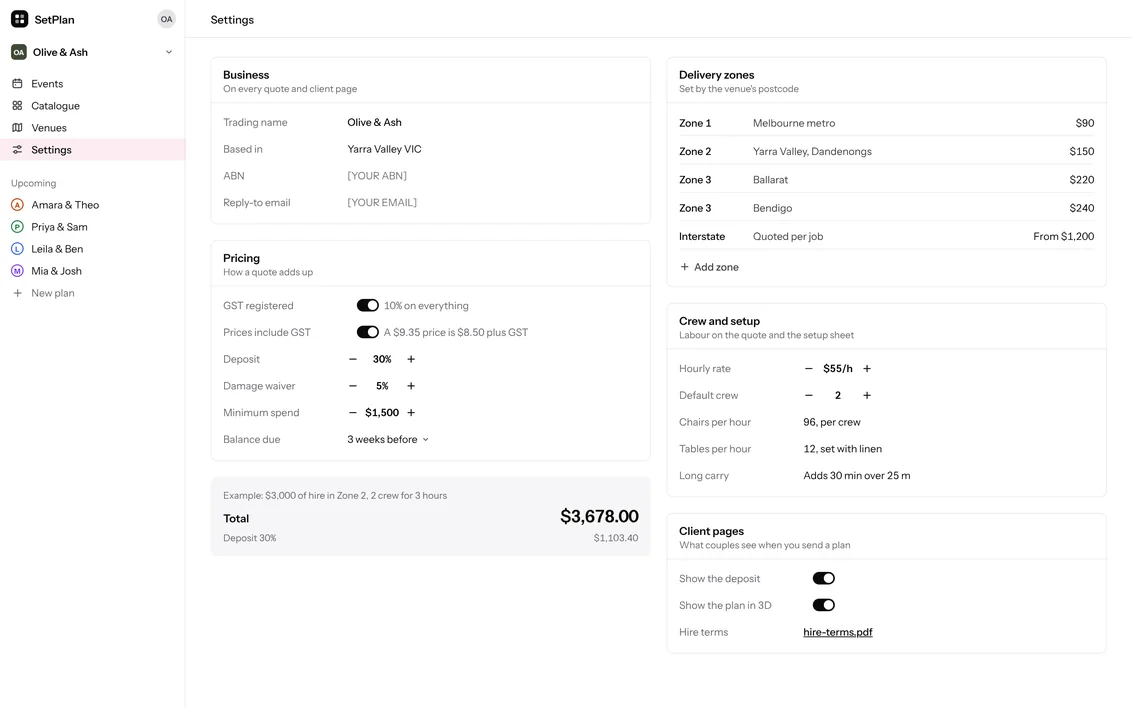

GST, the deposit and the minimum spend are set once, with a worked example of how a quote adds up.
04
One change, start to finish
Kinross Estate allows enclosed flames only. The editor flags the six open candles, and one click puts them in hurricane glass. That edit starts version 3. The couple sees only what changed and approves it on their phone. The setup sheet and the crew’s checklist follow version 3, and on the day the crew ticks off each piece, with or without signal.

The fix goes straight into the quote and into the list of changes since version 2, ready to send.

Two layouts with their prices, and the ceremony from above, at eye level and as a plan.

Only what changed, with the new total.

Pieces are ticked off by area. Without signal, ticks and photos wait on the phone.
Decisions
- 01
Problems come with a fix
Chose
When a piece breaks a venue rule or runs short, the editor says so straight away and offers a fix with its price.
Instead of
A list of errors to sort out before sending.
The cost
Each piece needs a sensible stand-in set up ahead of time, and warnings have to stay short so they don’t crowd the plan.
- 02
The price is always in view
Chose
The quote sits next to the plan and changes with every piece.
Instead of
Building the quote as a last step.
The cost
Less room for the plan, so the quote is kept to one line per piece.
- 03
Every change is a new version
Chose
Once the couple approves, the plan is locked. Later edits become a draft of the next version, and the couple approves only what changed.
Instead of
Editing the approved plan and sending the whole thing again.
The cost
One more step for the stylist, who sends each version, but the couple never rereads the whole plan.
- 04
Measurements say where they came from
Chose
Every venue shows its source (the venue, a stylist or measurements) and how accurate its scale is. A rough sketch is enough to start.
Instead of
Treating every floor plan as exact.
The cost
Tracing takes a few more steps, and some plans start rough and are fixed later.
- 05
The crew app works offline
Chose
Ticks and photos are saved on the phone and sync when there is signal.
Instead of
Needing a connection at the venue.
The cost
The stylist can see progress late, so the app says plainly what is waiting to sync.
What I’d test next
SetPlan hasn’t been used for a real wedding yet. These are the first things I’d check.
- 01
Time to a first quote
Give three stylists a wedding they’re planning now and time the first quote, compared with how they do it today.
- 02
Approving on the phone
Watch whether couples approve each version on their phone, or still ask for a PDF.
- 03
Venues sharing their plans
See if venues will check their own plans in the library, or if stylists end up tracing every venue.
- 04
A real setup, offline
Run the crew checklist at a real setup and see what goes wrong when the phone has no signal for hours.
More work
Want one
like this?
Tell me what you’re building. I’ll tell you how I’d design, build and ship it.